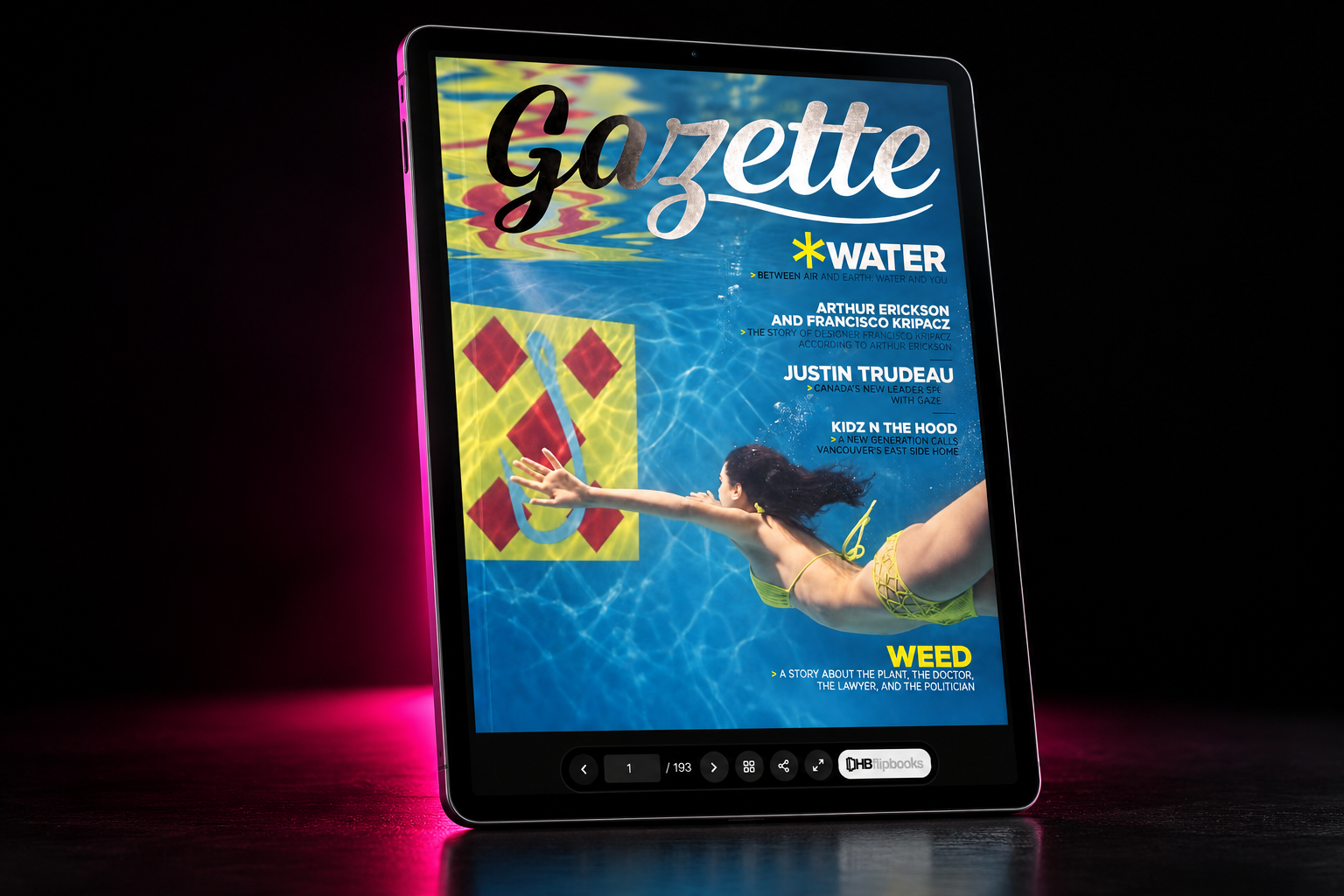

Online magazine maker

Create & Publish an Online Magazine

Turn your finished PDF into a polished digital magazine readers can open from any browser. Upload your magazine, create an interactive page-turning publication, and share it online with a simple link.

HB Flipbook has an ongoing Free plan — not a trial — that currently supports up to three published flipbooks, with no credit card required to start.

Your Magazine Is Designed. Now Publish It Online.

Keep designing where you already design. HB Flipbook is not trying to replace professional magazine-design software, and it does not ask you to lay an issue out again inside a web tool.

Build the issue in Adobe InDesign, Canva, Adobe Illustrator, Affinity Publisher or any other program that exports a finished PDF. When it is done, export the PDF and upload it. Your original layout stays intact while HB Flipbook turns it into an online publication that is easier to read, share and distribute. There are no direct integrations with those applications — the exported PDF is the whole handover.

Because the source file is never edited or re-saved, the version readers see is the version your art director signed off. Everything HB Flipbook adds — the reader, your branding, interactive elements, access settings — lives on the published publication.

Turn Your PDF Into an Online Magazine

  1. 1

    Upload your magazine PDF

    Start with the finished PDF you've already designed. Create an account, upload the file, and every page is prepared for browser reading.

  2. 2

    Create your digital magazine

    Turn it into a browser-based, page-turning publication while preserving the original design. Choose single page, double-page spread, animated flipping or continuous scroll, and apply your logo and colours.

  3. 3

    Publish and share

    Publish the issue and give readers a simple link they can open on desktop, tablet or mobile — or paste the embed code into your own site.

Make Your Digital Magazine Interactive

A magazine PDF is static by nature. Once it is published with HB Flipbook you can add digital interactions on top of the pages without touching the artwork underneath — the step-by-step mechanics of that conversion are covered where we explain how to convert your PDF into a flipbook.

  • Clickable web, email and phone links anywhere on a page — included on Free.
  • Buttons and calls to action for advertisers, features and enquiries — included on Free.
  • Invisible hotspots that make existing artwork clickable — included on Free.
  • Embedded video placed on a page — included on Free.
  • Page stickers and callouts, plus your own custom sticker uploads — Starter and above.
  • Password protection for member-only or embargoed issues — Starter and above.
  • Reader PDF downloads, when you want readers to keep a copy — Starter and above.
  • Lead capture forms and advanced reader analytics — Pro and above.
  • Share links and website embedding — included on every plan.

Start free and upgrade when you need more advanced publishing tools. The complete list of interactive publishing features shows what each control does, and plans and pricing shows where each one starts.

Publish More Than Traditional Magazines

Independent Magazines

Publish editorial, arts, culture, fashion and independent publications online.

Company Magazines

Turn company news, thought leadership and branded editorial content into a polished digital publication.

Fashion & Lifestyle

Publish seasonal magazines, editorial features and fashion stories while preserving highly designed layouts.

Association & Member Magazines

Give members a simple browser-based way to read recurring publications.

School & University Magazines

Publish student work, alumni magazines, departmental publications and campus editorial projects.

Newsletters

Turn longer editorial newsletters into a more immersive online reading experience.

Editorial Portfolios

Present photography, illustration, writing and creative work as a digital publication.

Special Editions

Publish annual editions, event publications, commemorative issues and special reports.

Why Turn Your Magazine Into a Digital Publication?

Easy to share

Send readers a web link instead of a large PDF attachment, and replace or unpublish the issue later without resending anything.

Designed for screens

Readers open the publication from desktop, tablet or mobile, with pages scaled to the screen and swipe or tap page turning.

Keep your original design

The layout you created in your design software is preserved exactly as exported — nothing is reflowed or restyled.

Make it interactive

Add supported links, buttons, hotspots, video and — on Starter and above — page stickers and callouts.

Embed it

Place the publication directly into a page on your own website using the embed code every published issue gets.

Understand readership

See total views, unique sessions, average pages per session, completion and per-page views under the appropriate plan, or switch tracking off per publication.

A Better Way to Share Your Magazine PDF

Sharing the PDF

  • A file attachment or download
  • A static document once it is sent
  • Less convenient for broad distribution
  • Limited interaction
  • No way to update or withdraw it afterwards

Publishing with HB Flipbook

  • A browser-based publication at a shareable web link
  • Page-turning reading, responsive on phones and tablets
  • Supported interactive elements over your pages
  • Website embedding with the supplied embed code
  • Reader analytics depending on plan

One honest limit: publishing an issue does not make the words inside your PDF searchable on the web. What you gain is distribution — one link, opened in a browser, updated or withdrawn whenever you decide. The same argument applies to digital catalogues and brochures, and the online flipbook maker overview covers the software as a whole.

Create an Online Magazine for Free

You don't need to subscribe just to try publishing your magazine online. Start with HB Flipbook's ongoing Free plan and create up to three published flipbooks, then upgrade when you need additional publishing, privacy, lead-generation or analytics features.

The Free plan is not a trial and asks for no credit card. It includes unlimited drafts, your own logo and brand colours, interactive links, buttons and hotspots, share links, website embedding and basic view figures. Free issues carry HB Flipbook branding in the reader; removing it, along with password protection, reader PDF downloads and page stickers, starts on Starter.

If you're weighing the free route specifically, this page explains how to create a free PDF flipbook from the same file.

Start Publishing Free

Made for People Who Care About the Design

You've already spent time designing the publication. Your online version shouldn't require rebuilding it from scratch — and it shouldn't quietly flatten your type, crops and spreads into somebody else's template.

HB Flipbook lets you use the PDF you already created and turn it into an online publication while keeping the original visual design at the centre of the experience. The reader is deliberately quiet: your pages, your logo, your colours, and controls that stay out of the artwork. Spreads read as spreads, and the crop you set is the crop readers see.

That matters most to the people who own the look of a publication — designers, art directors, agencies, in-house marketing teams and independent publishers producing issue after issue. If you want to check something specific before you commit an issue to it, the Help Centre covers uploading, publishing, branding and access controls in detail.

Common questions

How do I create an online magazine?

Design the issue in the software you already use, export it as a PDF, then upload that PDF to HB Flipbook. It becomes a browser-based, page-turning publication you publish and share with a link — no rebuilding and no redesign.

Can I turn a PDF into an online magazine?

Yes. A finished magazine PDF is exactly what HB Flipbook expects. Every page is converted for browser reading with your original layout preserved, and the reading mode, branding and sharing settings live on the publication rather than in the file.

Can I create a digital magazine for free?

Yes. HB Flipbook has an ongoing Free plan — not a trial — with no credit card required. You can keep unlimited drafts and have up to three flipbooks published at once, with your own logo and colours, share links, embedding and basic view figures.

What is an online magazine maker?

Software that publishes and distributes a magazine on the web rather than designing it. HB Flipbook is that publishing half: it hosts your finished issue at a link, presents it in a page-turning reader, adds interactive elements over the pages and reports how it was read. It is not magazine-design software.

Can I publish an InDesign magazine online?

Yes. Export your InDesign document as a PDF and upload it. HB Flipbook has no direct InDesign integration — it simply publishes the exported PDF exactly as you produced it.

Can I turn a Canva magazine into an online magazine?

Yes, the same way: download your Canva design as a PDF and upload that file. There is no Canva integration; the exported PDF is all HB Flipbook needs.

Do I need to redesign my magazine for HB Flipbook?

No. Nothing is reflowed, restyled or rebuilt. Your pages appear as you exported them, and anything you add — links, buttons, hotspots, stickers — sits on top of the published publication without changing the source PDF.

Can I add links to my digital magazine?

Yes. You can place web links, buttons, email links, phone links, embedded video and invisible hotspots anywhere on any page, on every plan including Free. Page stickers and callouts are part of the Starter plan and above.

Can I embed my magazine on my website?

Yes. Every published issue comes with an embed code you can paste into your own site, included on the Free plan, so readers browse it inside your page instead of downloading a file.

Can readers view my magazine on mobile?

Yes. The reader is built for phones and tablets as well as desktops — readers swipe or tap to turn pages and the pages scale to the screen.

Can I see how many people read my magazine?

Each publication reports total views, unique sessions, average pages per session, a completion figure and views for every individual page. Basic view figures are available on the Free plan and the fuller reader analytics come with Pro. Tracking can be switched off per publication.

Can I password-protect an online magazine?

Yes, on the Starter plan and above. A protected issue asks for a password before it opens, is kept out of public listings and search, and can be unlisted or unpublished at any time.

Publish your magazine online

Upload the issue you've already designed and publish it as a page-turning digital magazine readers open from a link. The Free plan covers three published flipbooks with no credit card.